


MEGA

FREE SHIPPING ON ALL ORDERS OVER €50, FIND OUT MORE...

Need help? Call us free 1 800 112 233

×
 x 

0 products

Captcha plugins protect the site's forms — registration, contact, login — against automated spam submissions by asking the sender to prove they are not a script.

Joomla ships with at least one captcha plugin, and others can be installed. Which ones are available depends on the Joomla version the site is running, so the list to trust is the one in the administrator under System → Plugins, filtered to the captcha type.

A captcha plugin has to be enabled and configured before it does anything. Once it is, choose it as the site-wide default in System → Global Configuration → Site → Default Captcha; individual forms can then use it. The reCAPTCHA plugin needs an account with Google and a pair of site keys, and the setup instructions appear when the plugin is opened in the administrator. reCAPTCHA is a Google service and is not affiliated with or endorsed by the Joomla Project.
Informations

About Mega

About Us

Lorem ipsum dolor sit amet, consectetur adipiscing elit, sed do eiusmod tempor incididunt ut labore et dolore magna aliqua. Ut enim ad minim veniam, quis

Read more...

Legal notice

Lorem ipsum dolor sit amet, consectetur adipiscing elit, sed do eiusmod tempor incididunt ut labore et dolore magna aliqua. Ut enim ad minim veniam, quis

Read more...

Contact us

Mega WebShop VirtueMart Template
The template is compatible with Joomla 5 and VirtueMart 3

Nice Ave. 78/1 6M 78A London UK
Mail: sales@example.com
Phone: 1 800 123 123

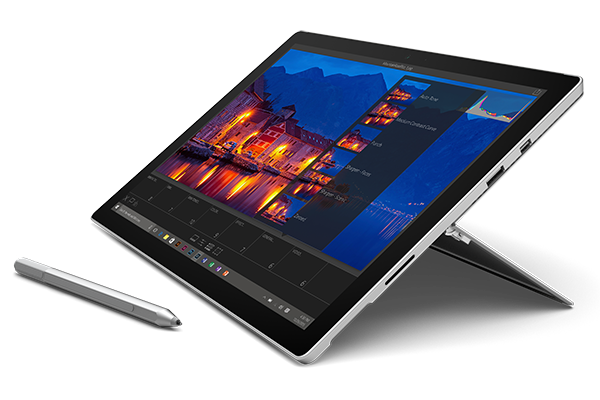
Surface Pro 4 Table

Here is the pop up panel you can use to promote any product or products that you think your customers should see at the very top of the website. You can use 6 different modules positions between intro-1 and intro-6.

215,00 €

FIND OUT MORE BUY TODAY!


TOP